Generative AI — Shopwaive Code

December 1, 2025

Shopify Plus Dev teams can now connect directly to their GitHub repos to commit to a new or existing branch for code PRs developed with Shopwaive Code — from the Built for Shopify admin Shopwaive app. Upload your files and ask Shopwaive to help you troubleshoot errors and complete code review. Need to refactor your PHP codebase to Javascript, format from HTML to React JSX, update your package.json to the latest node engine? No problem. Develop new features, functions, and more with Shopwaive Code. Learn more

circle-info

Need support for Shopify Plus integration? Reach out to our team at [email protected] and we'll be glad to support or consider new feature or available options with this release upon request.

Connect GitHub

First, ensure you've signed up for the Shopwaive Checkout subscription plan, as this is required to use Shopwaive Code.

circle-info

Need to upgrade to the Shopwaive Checkout subscription plan? Simply visit the left side menu of the Shopwaive app within the Shopify admin. View more > Billing. Then click the View all available subscription plans link at the bottom. Once the web app opens, click the Billing Plan button at the top of the dashboard and proceed to upgrade to the Checkout plan

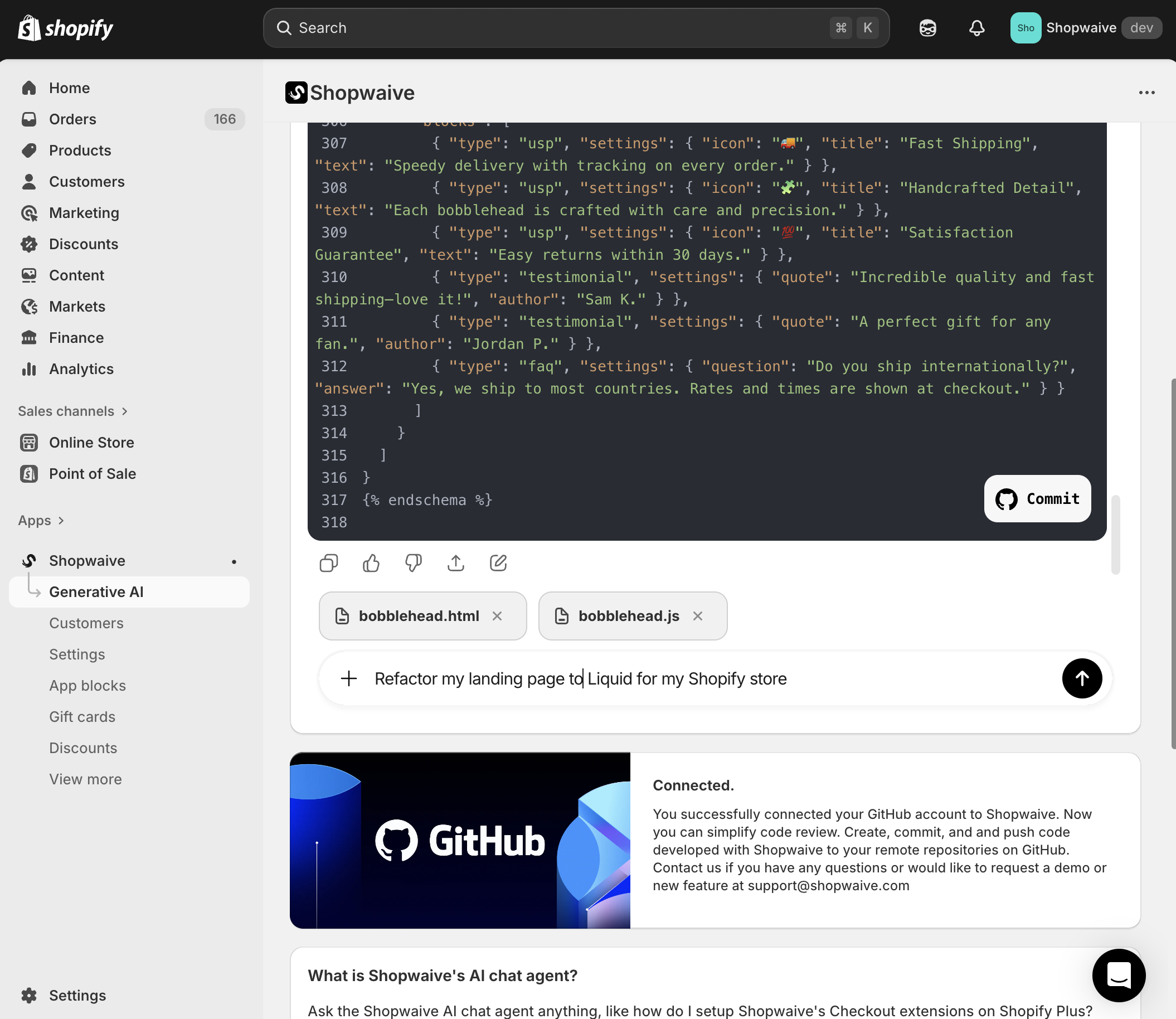
Once you're signed up to the Shopwaive Checkout plan, from the Shopwaive app, visit the Generative AI menu, click the Code tab, and then click the Install button in the GitHub card.

Click the Install button to begin an OAuth session with GitHub where you'll select your repos
During the GitHub OAuth session that begins, you'll choose which repo(s) you wish to connect to Shopwaive. Before installing, and for the most seamless installation, ensure you've already logged into your GitHub account in the same browser session that you've launched Shopify.

circle-info

Though during installation you'll choose your repo(s) to connect, at anytime, you can visit the Shopwaive Code app in GitHub that you install on your GitHub account to add or remove repo(s)

Once you've successfully installed Shopwaive Code on your GitHub account, refresh your Shopify session and the GitHub card will update within the Shopwaive app indicating that your repo(s) have been successfully connected.

The GitHub card will indicate your repo(s) are connected once you complete OAuth
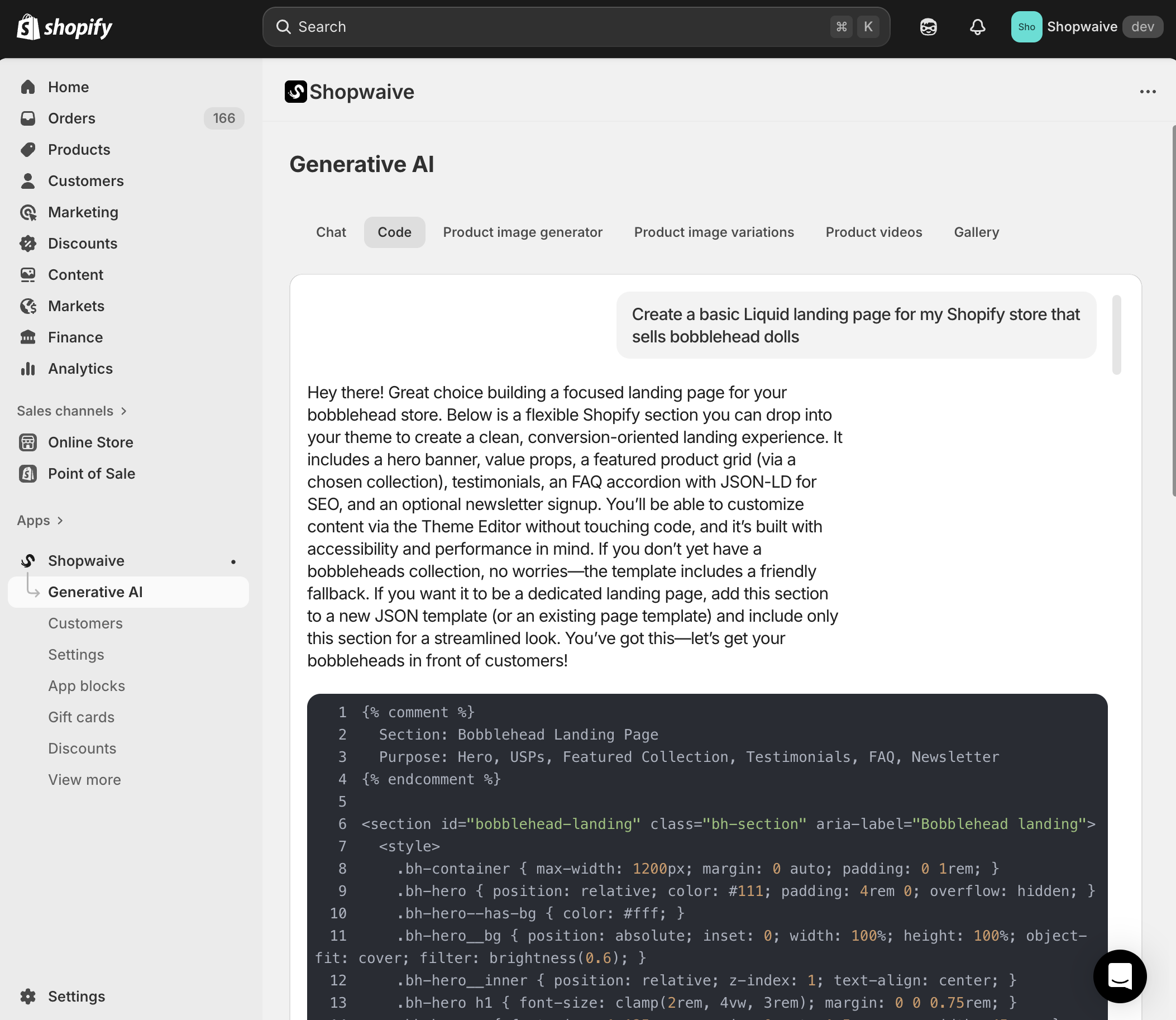
Next, you'll get to create code and commit directly to your repo(s). Ask Shopwaive's AI to generate a snippet, a landing page, an integration with Stripe and much more. You can upload files from your code base that you want Shopwaive's AI to debug or help run more efficiently, or refactor into a new language.

For example, provide a plain HTML and JS file and ask the AI to refactor into Liquid for your Shopify store. Or provide your Node.js package.json file and ask the AI to update your dependencies. The possibilities are endless.

Let Shopwaive make code review and PRs easier than ever before and without expensive AI licenses that charge per seat or request, get unlimited access with one subscription to Shopwaive Checkout.

circle-info

Contact [email protected] for more information regarding token allotments and usage, our Billing team can ensure using Shopwaive's AI services are the most cost-effective for your development team

Last updated